We are in the process of migrating all NASA Earth science data sites into Earthdata from now until end of 2026. Not all NASA Earth science data and resources will appear here until then. Thank you for your patience as we make this transition.
Read about the Web Unification Project
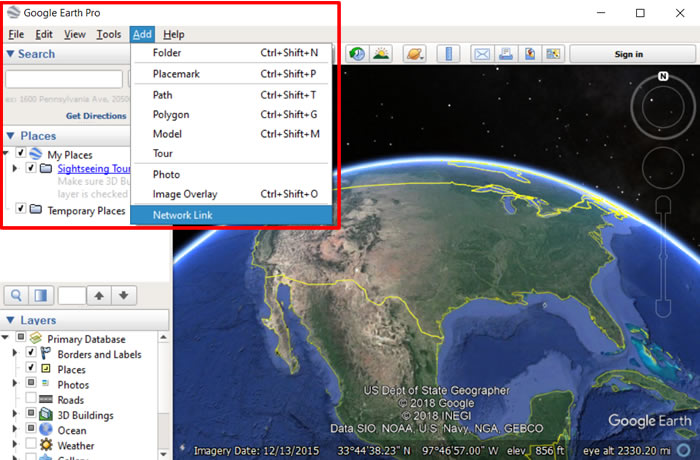
Step 1 - Add Network Link
- Launch Google Earth Pro on your computer (not the google earth web site)
- Click Add > Network Link
Image
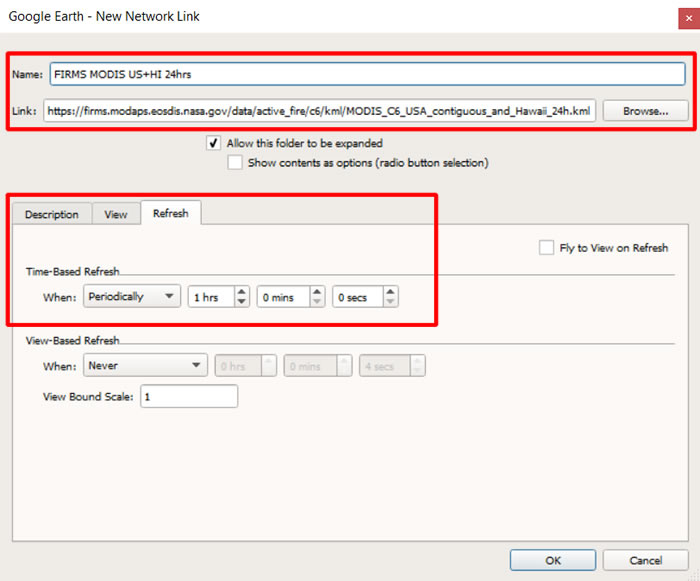
Step 2 - Set URL and Refresh Rate
- Paste and copy url location into Link:
ex:https://firms.modaps.eosdis.nasa.gov/data/active_fire/modis-c6.1/kml/MODIS_C6_1_USA_contiguous_and_Hawaii_24h.kml - View other available FIRMS kml files (updated every hour)
- Select Refresh tab
- Set Time-Based Refresh to When:Periodically
- Adjust the frequency as needed
- Click OK at the bottom
Image
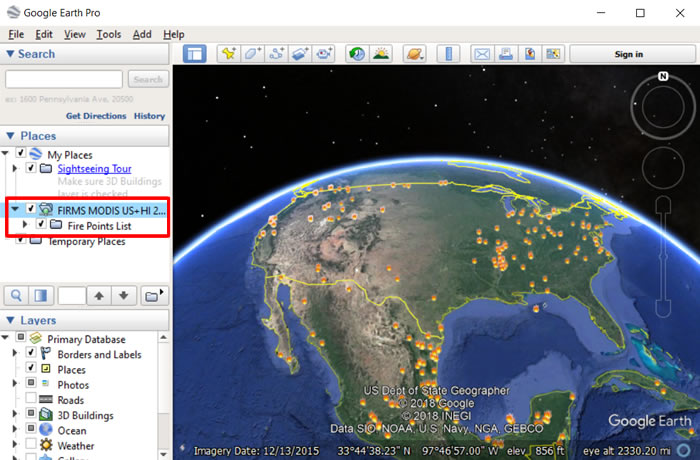
Step 3 - View Data
- Double+Click the FIRMS layer for refresh or Right+Click and select Refresh to view the data
- The link name will be added to the Temporary Places section of your Places panel
- The specified kml file will be refreshed with the defined time interval
Image
Method 2:
Step 1 - Create local.kml file with the Network Link
- Open any text editor and paste and copy the code below
- Note the refreshInterval is set to 3600 seconds (3600 seconds = 1 hour; 43200 seconds = 12 hours; 86400 seconds = 1 day)
- Set href to FIRMS kml file of your interest. See options (updated every hour)
- Save the file as local.kml in plain text. Check that the editor didn't add any special characters.
<?xml version="1.0" encoding="UTF-8"?>
<kml xmlns="http://earth.google.com/kml/2.0">
<Document>
<NetworkLink>
<Name>Local kml</Name>
<Link>
<href>https://firms.modaps.eosdis.nasa.gov/data/active_fire/c6/kml/MODIS_C6_USA_contiguous_and_Hawaii_24h.kml</href>
<refreshMode>onInterval</refreshMode>
<refreshInterval>3600</refreshInterval>
</Link>
</NetworkLink>
</Document>
</kml>
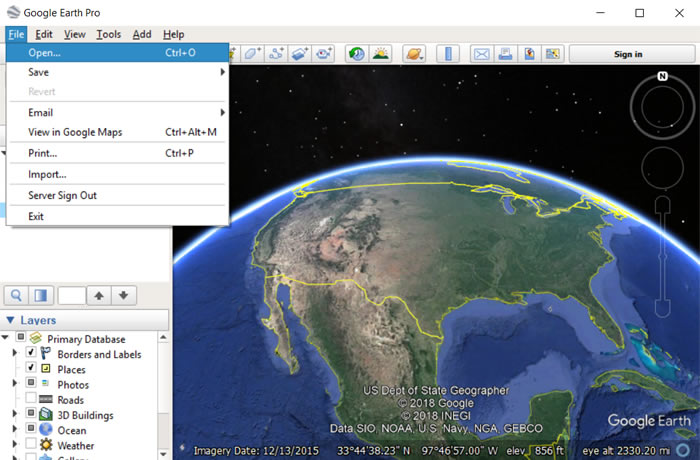
Step 2 - Open local.kml File in Google Earth Pro
- Launch Google Earth Pro on your computer (not the google earth web site)
- Click File > Open
Image
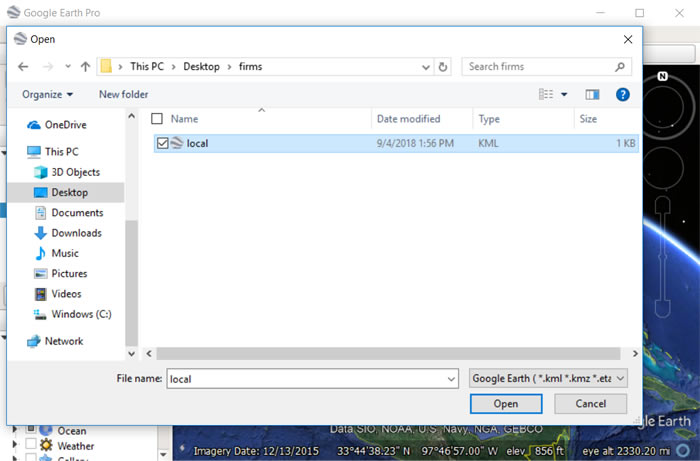
Step 3 - Find local.kml File
- Find and select local.kml and click Open
Image
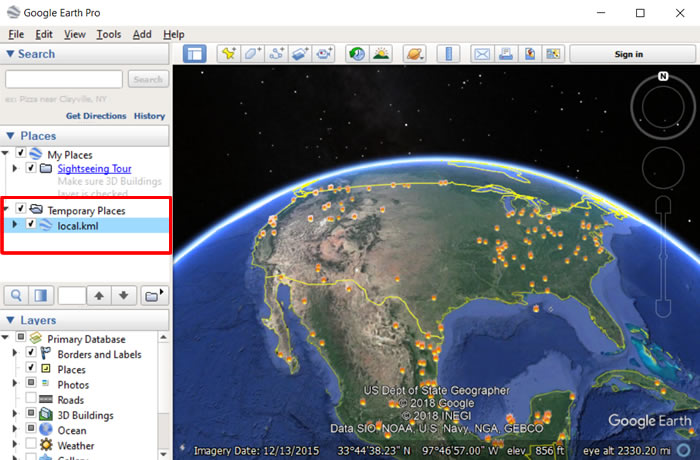
Step 4 - View Results
- The file is added to the Temporary Places section of your Places panel.
- It will auto refresh as defined in your local.kml file
Image
Details
Last Updated
Published
Aug. 23, 2019